Content › Audit log
Introduction
Content
Using content
Plugins
Recipes
Audit log
What you'll learn
How to keep a record of who changed what and when, who signed in, and what admins did, and how to check that the record wasn't tampered with.
Before this page: Users & auth.
Turn it on in the config:
audit: true, // or { keep: 365, values: true, failedLogins: 20 }It adds the audit-logs table: create a migration (npx easy-cms migrate:create audit). Admins
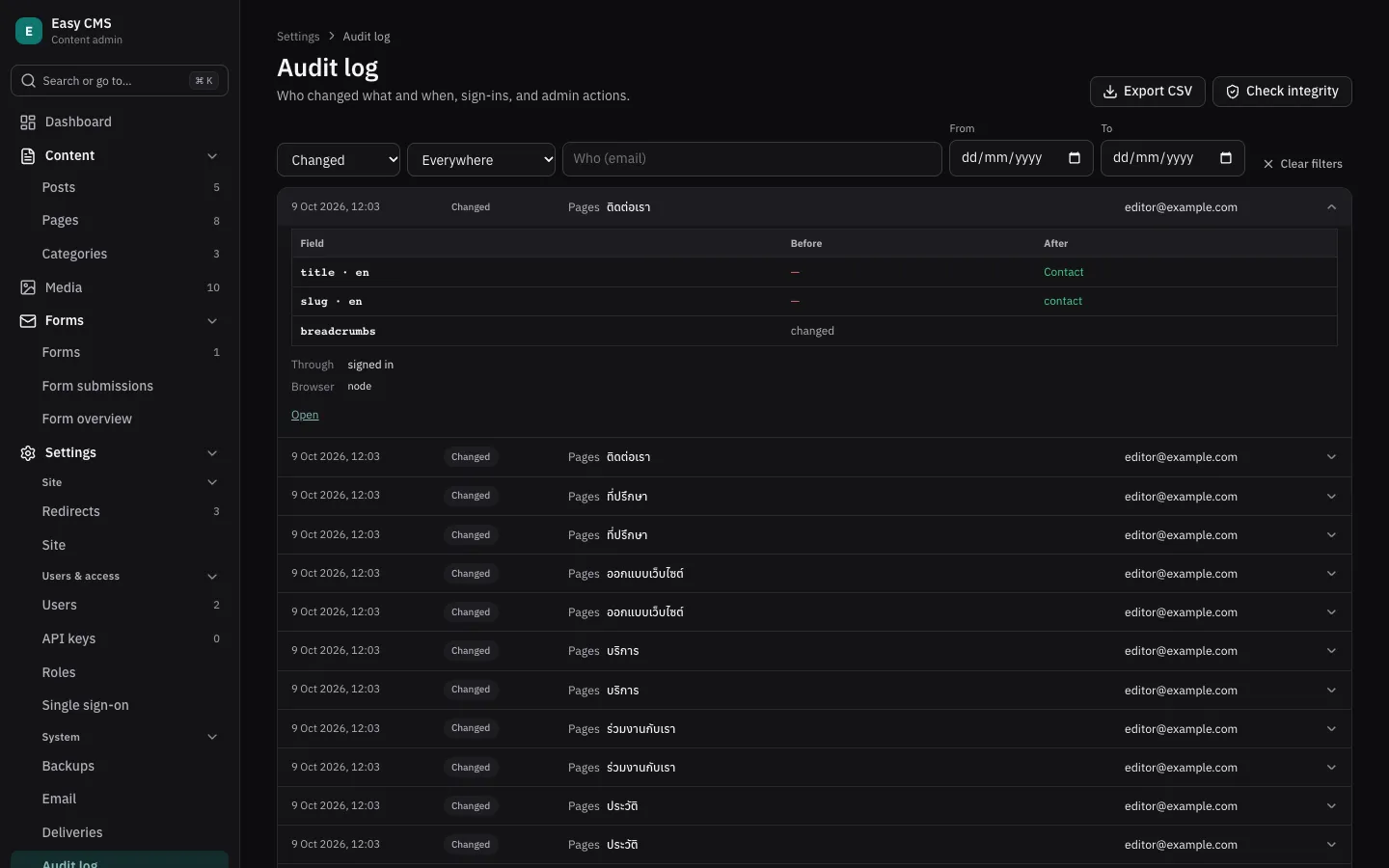
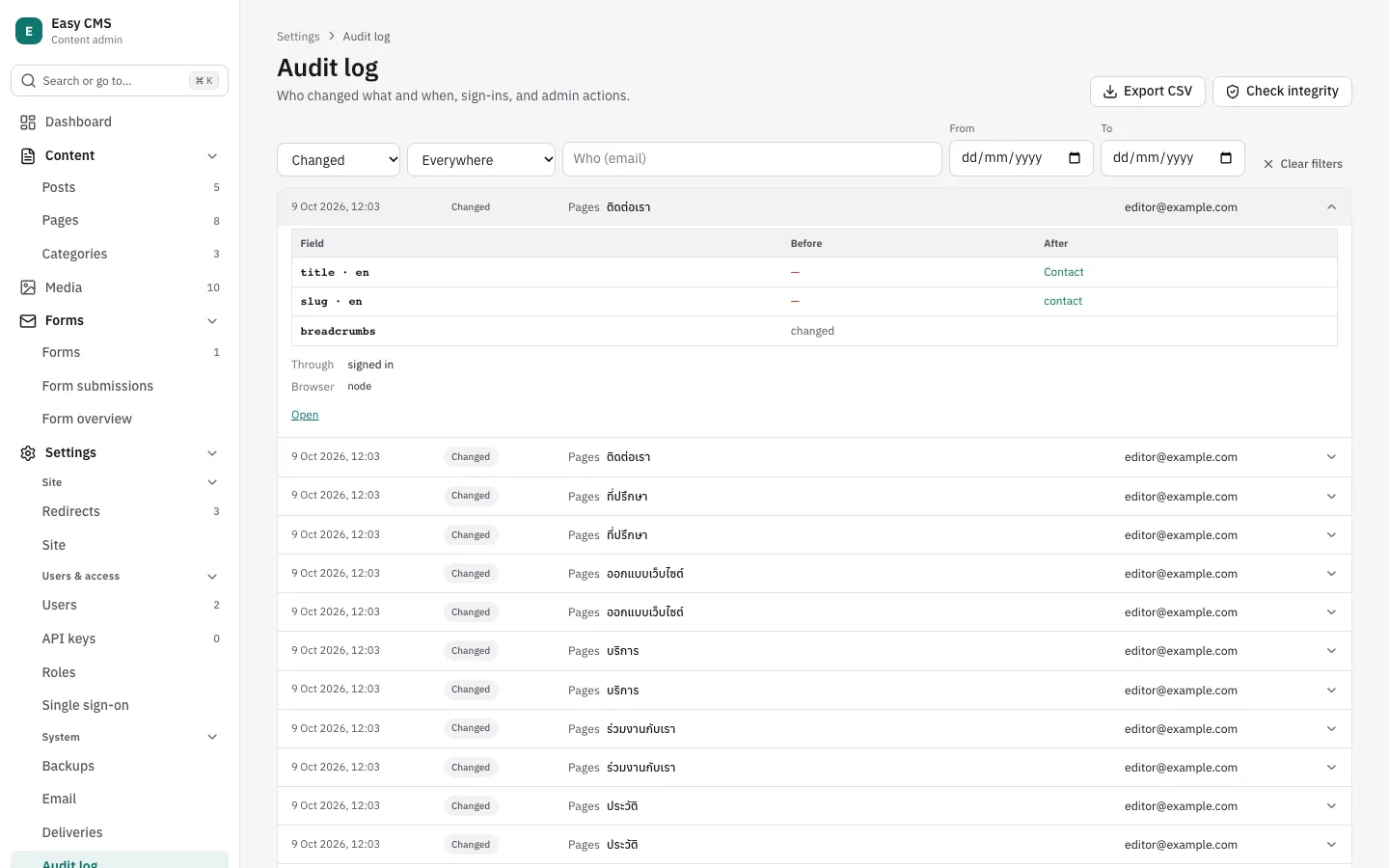
then find Settings → Audit log; with roles from the admin, other roles can be given
the page too.
What is recorded
- Content: creating, changing, publishing, unpublishing, restoring and deleting documents and globals, uploads, and scheduling, with which fields changed and their values before and after. A deleted document's title is kept.
- Signing in: logins, failed logins (with the email tried), lock-outs, logouts, forgotten passwords, password links, and single sign-on: signing in, linking and unlinking.
- Admin actions: users (their role, deactivating them), roles, API keys, backups started, downloaded and deleted, test emails, and retried or deleted deliveries.
Each entry says who (their email at the time, still readable after they're deleted), how (signed in, an API key by name, code, or a scheduled job), the IP address and the browser. Reading is not recorded.
Changes made by your own code through the Local API (hooks, plugins, seed scripts) are recorded
too, as code (system), or as the user you pass.
Values
- Hidden fields, such as the password hash, are never kept; a new password shows only as "password changed".
- Rich text, blocks, arrays and JSON show only that they changed; values over 500 characters are cut.
- With sensitive data,
audit: { values: false }keeps only which fields changed.
In the admin
- Settings → Audit log lists entries newest first. Filter by action, collection, who and dates; open an entry to see each field before and after. Export CSV downloads the filtered entries (up to 10,000).
- A document's page shows its Activity: its latest entries, with a link to all of them.
- The dashboard warns about many failed sign-ins within an hour (
failedLogins, default 20), entries that couldn't be written, and a failed integrity check.
Tamper evidence
Entries can't be changed or deleted through Easy CMS: only those older than keep days (default
365; 0 keeps them all) are deleted, oldest first. Each entry is signed with your
EASY_CMS_SECRET. Check integrity (and a daily check from scheduled jobs)
finds entries edited in the database, and missing ones between others.
What it can't see: someone who also has your secret, or who deletes the newest entries. For a copy nobody here can change, send events elsewhere too, e.g. with webhooks.
Writing entries from code
await cms.audit.record({ action: 'invoice.sent', target: 'invoices', doc: invoice.id })If an entry can't be written
The change still goes through: the error is logged on the server, and the dashboard says how many entries are missing.
Next steps
- Roles from the admin: who may see the audit log.
- Security: what else is protected.